Yocan LUX Plus Vape Pen: A Comprehensive Guide
This guide details the Yocan LUX Plus, a classic pen-style alloy body vape pen featuring a 650mAh battery, Type-C charging, and adjustable voltage from 1․8V to 4․2V․
The Yocan LUX Plus represents a refined evolution in portable vaping technology, designed for discerning users who appreciate both style and functionality․ This device distinguishes itself with a sleek, pen-style alloy body, offering a comfortable and discreet vaping experience․ At its core lies a robust 650mAh battery, ensuring extended usage between charges, and conveniently recharged via a modern Type-C connection․
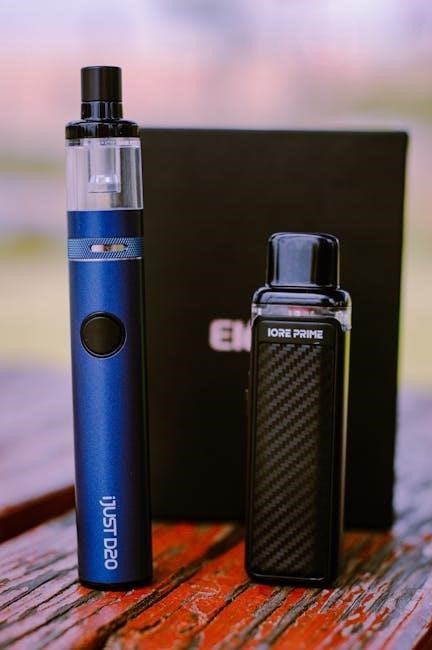
A key feature of the LUX Plus is its intuitive voltage adjustment dial, allowing users to precisely tailor their vaping experience to their preferences, ranging from 1․8V to 4․2V․ This control unlocks a spectrum of flavor profiles and vapor production․ Furthermore, the inclusion of a 10-second preheat function ensures consistent and efficient vaporization, even with thicker oils․
The Yocan LUX Plus is engineered for compatibility with standard 510 threaded cartridges, providing versatility and ease of use․ Whether you’re a seasoned vaper or new to the world of concentrates, the LUX Plus offers a user-friendly and satisfying experience․
What’s in the Box?
Upon unboxing your new Yocan LUX Plus, you’ll find a carefully curated selection of components designed to get you vaping quickly and efficiently․ The package includes the core Yocan LUX Plus battery itself, showcasing its elegant pen-style alloy construction and adjustable voltage dial․
Essential for powering and maintaining your device, a USB Type-C charging cable is provided, ensuring fast and convenient recharging․ This cable is compatible with a wide range of power sources, including computer USB ports and wall adapters․
To guide you through setup, operation, and troubleshooting, a comprehensive user manual is included․ This manual details everything from initial charging procedures to voltage adjustment techniques and safety precautions․ The box contains the battery, the charging cable, and the user manual, providing everything needed for an optimal vaping experience․
Device Overview: Components and Features
The Yocan LUX Plus boasts a sleek, pen-style design crafted from a durable alloy, providing both aesthetic appeal and long-lasting performance․ At its heart lies a robust 650mAh battery, offering extended vaping sessions before requiring a recharge․ A key feature is the integrated voltage adjustment dial, allowing users to fine-tune their experience between 1․8V and 4․2V for customized flavor and vapor production․
The device utilizes a standard 510 threading, ensuring compatibility with a wide array of cartridges․ It incorporates a convenient 10-second preheat function, priming the oil for optimal vaporization․ The inclusion of a USB Type-C charging port modernizes the device, enabling faster and more reliable charging․
Its compact size makes it highly portable, while the intuitive design ensures ease of use for both beginners and experienced vapers․

Getting Started with Your Yocan LUX Plus
Begin by fully charging your device using the provided Type-C cable before initial use, ensuring optimal battery performance and longevity for vaping․
Initial Charging Procedure
To initiate the charging process for your Yocan LUX Plus, locate the Type-C charging port on the base of the device․ Connect the included USB Type-C cable securely to the port and then to a suitable power source, such as a computer USB port or a wall adapter․
During charging, you may observe an indicator light, which typically illuminates to signify the charging status․ Allow the device to charge fully before its first use; this usually takes approximately 2-3 hours․ A fully charged battery will provide extended usage․
Avoid overcharging the device, as this can potentially reduce battery lifespan․ Once fully charged, disconnect the cable to prevent any further charging․ It’s recommended to plug the LUX in for five minutes, then take small hits to heat the oil․
Understanding the Voltage Adjustment Dial

The Yocan LUX Plus features a convenient voltage adjustment dial, typically located near the base of the device․ This dial allows you to customize your vaping experience by controlling the power output to the atomizer․ The voltage range is adjustable from 1․8V up to 4․2V, offering a spectrum of vaping intensities․
Lower voltage settings (1․8V-2․8V) generally deliver milder flavors and cooler vapor, ideal for those who prefer a subtle experience․ Higher voltage settings (3․2V-4․2V) produce warmer, more robust vapor with intensified flavor․ Experiment with different settings to find your preferred sweet spot․
Simply rotate the dial to adjust the voltage․ There are no preset settings; the dial offers smooth, incremental adjustments․ Remember to start with a lower voltage and gradually increase it until you achieve your desired vapor production and flavor profile․
Attaching a 510 Cartridge
The Yocan LUX Plus is designed to be compatible with most standard 510 threaded cartridges․ Attaching a cartridge is a straightforward process․ First, ensure the battery is turned off for safety․ Locate the 510 connection point on the top of the LUX Plus battery – it’s the threaded receptor․
Gently screw the 510 cartridge onto the battery, turning it clockwise․ Avoid over-tightening, as this could damage the threads on either the battery or the cartridge․ A snug, secure connection is sufficient․ Ensure the cartridge is straight and aligned with the battery to prevent any wobbling during use․
Once attached, visually inspect the connection to confirm it’s secure․ A properly connected cartridge will sit flush against the battery without any gaps․ Now your Yocan LUX Plus is ready for use!
Using the Yocan LUX Plus
Enjoy vaping with the Yocan LUX Plus by adjusting voltage for optimal flavor, utilizing the 10-second preheat function, and powering the device on/off easily․
Powering On and Off
The Yocan LUX Plus utilizes a simple five-click operation for both powering the device on and turning it off․ To activate the device, rapidly press the power button – located on the body of the pen – five times in quick succession․ You will notice a visual indicator, typically a light, confirming that the device is now powered on and ready for use․
Conversely, to power off the Yocan LUX Plus and prevent accidental activation, repeat the same process: five rapid clicks of the power button․ The visual indicator will again confirm the action, signaling that the device is now safely turned off․ This feature is crucial for conserving battery life when the device is not in use and for ensuring safety during storage or transport․ Remember to always double-check the indicator to confirm the device’s status․
Adjusting Voltage Settings for Optimal Flavor
The Yocan LUX Plus boasts a voltage adjustment dial, allowing users to customize their vaping experience for optimal flavor and vapor production․ This dial, conveniently located on the device, enables voltage adjustments within a range of 1․8V to 4․2V․ Lower voltage settings (around 1․8V-2․8V) are generally recommended for thinner oils and maximizing flavor profiles, providing a smoother, more nuanced experience․
For thicker oils or those seeking larger vapor clouds, increasing the voltage to the higher end of the spectrum (3․2V-4․2V) is advisable․ Experimentation is key to finding the sweet spot that best suits your preferred oil viscosity and personal vaping preferences․ Begin with a lower setting and gradually increase it until you achieve the desired balance between flavor and vapor density․
Preheating Function: Utilizing the 10-Second Preheat
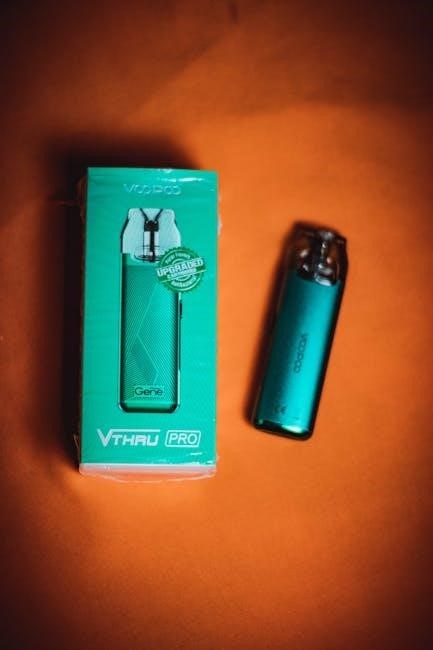
The Yocan LUX Plus incorporates a convenient 10-second preheating function, designed to ensure optimal vaporization of thicker oils that may be resistant to immediate heating․ To activate this feature, simply press the power button five times rapidly․ This initiates a preheating cycle, gently warming the oil within the cartridge to improve its flow and vaporizability․
After the 10-second preheat cycle completes, the device is ready for normal operation․ This is particularly useful when using new cartridges or oils that have become viscous due to temperature changes․ Utilizing the preheat function can prevent dry hits and ensure a consistent, flavorful vaping experience․ Remember to allow the preheat cycle to finish before attempting to inhale․

Maintenance and Troubleshooting
Regular cleaning and addressing issues like blinking batteries or cartridge connection problems are crucial for maintaining optimal performance of your Yocan LUX Plus․
Cleaning Your Yocan LUX Plus
Maintaining cleanliness is vital for a consistent vaping experience with your Yocan LUX Plus․ Begin by ensuring the device is powered off and detached from any cartridge․ Gently wipe the exterior alloy body with a soft, lint-free cloth dampened with isopropyl alcohol․ Avoid excessive liquid entering the device’s openings․
For the 510 thread connection, use a cotton swab lightly moistened with isopropyl alcohol to carefully remove any oil residue or buildup․ Pay close attention to the threads, ensuring they are clean and free of obstructions․ Allow all components to completely dry before reassembling and using the device․ Regular cleaning prevents flavor contamination and ensures a smooth connection with your cartridges, prolonging the lifespan of your Yocan LUX Plus․
Addressing Battery Blinking Issues
Battery blinking on your Yocan LUX Plus typically indicates a low battery or potential issue․ Initially, connect the device to a power source using the Type-C charging cable for at least five minutes․ After charging, attempt several small, light puffs; this can sometimes resolve minor oil heating issues;
If blinking persists after charging, try a full charge cycle․ If the problem continues, a reset might be necessary․ Disconnect and reconnect the cartridge․ If the issue remains unresolved, it could indicate a battery malfunction․ Contact Yocan support for assistance․ Remember to always use a compatible charger and avoid overcharging to maintain optimal battery health and prevent further blinking occurrences․
Troubleshooting Cartridge Connection Problems
Cartridge connection issues with your Yocan LUX Plus often stem from a loose connection or debris․ First, ensure the 510 cartridge is securely screwed onto the battery․ Avoid over-tightening, as this can damage the threading․ Inspect both the cartridge’s 510 pin and the battery’s connection point for any visible debris or oil residue․
Gently clean these areas with a cotton swab dipped in isopropyl alcohol․ Reattach the cartridge, ensuring a snug fit․ If the problem persists, try a different cartridge to rule out a faulty cartridge․ A damaged 510 pin on either the cartridge or battery can also cause connection problems; contact Yocan support if you suspect damage․

Battery Information and Charging
The Yocan LUX Plus boasts a 650mAh battery, conveniently charged via a USB Type-C cable, ensuring efficient power and extended vaping sessions․
Battery Capacity and Usage
The Yocan LUX Plus is equipped with a robust 650mAh battery, designed to provide extended vaping sessions for users throughout their day․ This capacity strikes a balance between portability and longevity, making it ideal for on-the-go use without frequent charging interruptions․ Battery life will naturally vary depending on individual usage patterns, specifically the voltage setting selected and the frequency of vaping․
Higher voltage settings consume more power, resulting in shorter battery life, while lower settings conserve energy․ Regular use with moderate frequency should allow for several hours of enjoyment on a single full charge․ It’s recommended to fully charge the device before initial use and to avoid completely depleting the battery to maximize its lifespan․ Proper battery maintenance, including avoiding extreme temperatures and physical damage, will contribute to optimal performance and longevity of your Yocan LUX Plus․
Charging with a USB Cable (Type-C)
The Yocan LUX Plus utilizes a modern Type-C USB port for convenient and efficient charging․ This port offers faster charging speeds and increased durability compared to older micro-USB standards․ To charge your device, simply connect the included USB Type-C cable to the charging port located on the bottom of the Yocan LUX Plus and plug the other end into a compatible power source, such as a computer USB port or a USB wall adapter․
During charging, you may observe an indicator light that signals the charging status․ Typically, a light will illuminate to indicate charging is in progress and may change color or turn off when fully charged․ A full charge usually takes between 1․5 to 2․5 hours, depending on the power output of your charging source․
Safe Charging Practices
To ensure the longevity and safe operation of your Yocan LUX Plus, adhere to these crucial charging practices․ Always use the provided USB Type-C cable or a certified replacement to avoid potential damage from incompatible chargers․ Avoid charging the device in extreme temperatures, whether hot or cold, as this can negatively impact battery performance and lifespan․
Never leave the device unattended while charging, and disconnect it once fully charged to prevent overcharging․ Refrain from using damaged cables or power adapters, as they pose a safety risk․ It’s also advisable to charge on a clean, flat, and non-flammable surface․ Avoid exposing the battery to moisture or water during the charging process․ Following these guidelines will help maintain optimal battery health and ensure a safe vaping experience․

Safety Precautions and Warnings
Always select appropriate cartridges and avoid common vaping errors for safe use․ Keep the device away from children, and follow all guidelines carefully․

General Safety Guidelines
Prioritize responsible usage with your Yocan LUX Plus․ Never leave the device unattended while charging, and always disconnect it once fully charged to prevent overcharging and potential hazards․ Avoid exposing the vape pen to extreme temperatures, as this can damage the battery and affect performance․
Keep the device dry and away from moisture to prevent internal damage and potential malfunctions․ Do not attempt to disassemble or repair the Yocan LUX Plus yourself; this could void the warranty and pose safety risks․ Regularly inspect the device for any signs of damage, such as cracks or leaks, and discontinue use if any are found․
Ensure proper ventilation during use, and avoid vaping in enclosed spaces․ Be mindful of your surroundings and respect the vaping regulations in your area․ Store the device securely when not in use, out of reach of children and pets․
Proper Cartridge Selection
Utilizing compatible 510-threaded cartridges is crucial for optimal performance with your Yocan LUX Plus․ Ensure the cartridge is securely attached to the battery before use, avoiding cross-threading which can damage the connection․ Only use cartridges from reputable sources, verifying their contents and quality to avoid potentially harmful substances․
Inspect cartridges for any visible damage, such as leaks or cracks, before attaching them to the device․ Avoid using cartridges that appear compromised or have been tampered with․ The Yocan LUX Plus is designed for use with oil-based cartridges; using incompatible substances may damage the device and void the warranty․
Consider the oil viscosity when selecting a cartridge, as thicker oils may require adjustments to the voltage settings for optimal vaporization․ Always follow the cartridge manufacturer’s instructions for proper usage and storage․
Avoiding Common Vaping Mistakes
To ensure a safe and enjoyable experience with your Yocan LUX Plus, avoid overfilling cartridges, which can lead to leakage and device malfunction․ Do not take excessively long draws, as this can cause the coil to burn out prematurely․ Regularly clean your device to prevent buildup and maintain optimal performance․
Refrain from dropping or subjecting the Yocan LUX Plus to physical shock, as this can damage the internal components․ Avoid exposing the device to extreme temperatures or humidity, which can affect battery life and functionality․ Never attempt to disassemble or repair the device yourself; contact customer support for assistance․
Always store your Yocan LUX Plus in a safe, dry place, away from children and pets․ Be mindful of local regulations regarding vaping and use the device responsibly․
